

Download Volume Control – Advanced Audio Management for Windows, Mac, Android & iOS
Enhanced Audio Control with Volume Control: A Game-Changer for Windows Users
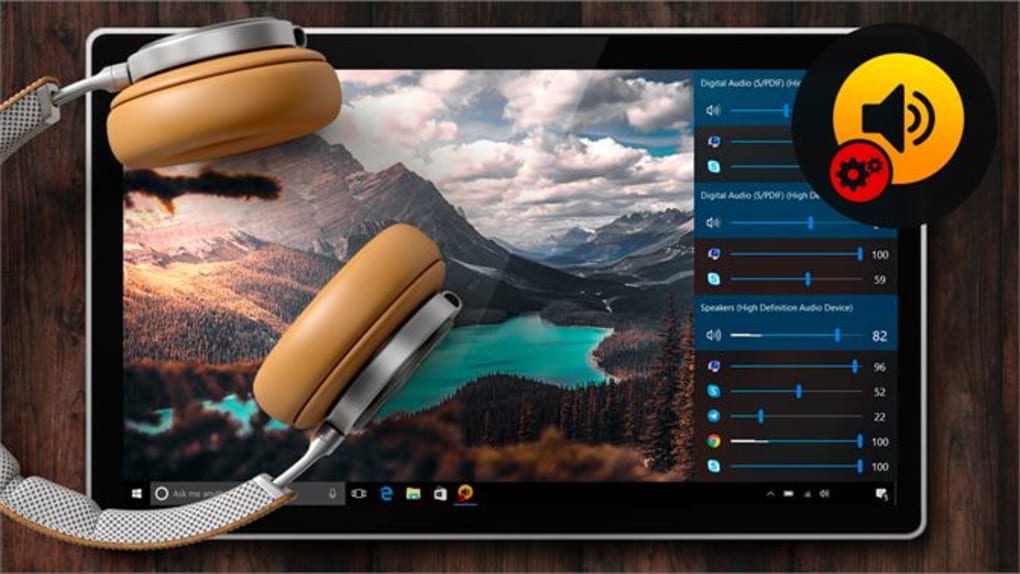
If you're frustrated by the limitations of Windows' default audio mixer—where all apps share a single master volume slider—then Volume Control is the powerful solution you’ve been waiting for. This intuitive software transforms how you manage sound across your system, giving you granular control over individual applications. Whether you're streaming a YouTube video while on a Zoom call, playing a game with background music, or editing audio for a podcast, Volume Control ensures each app runs at its ideal volume level without interference.
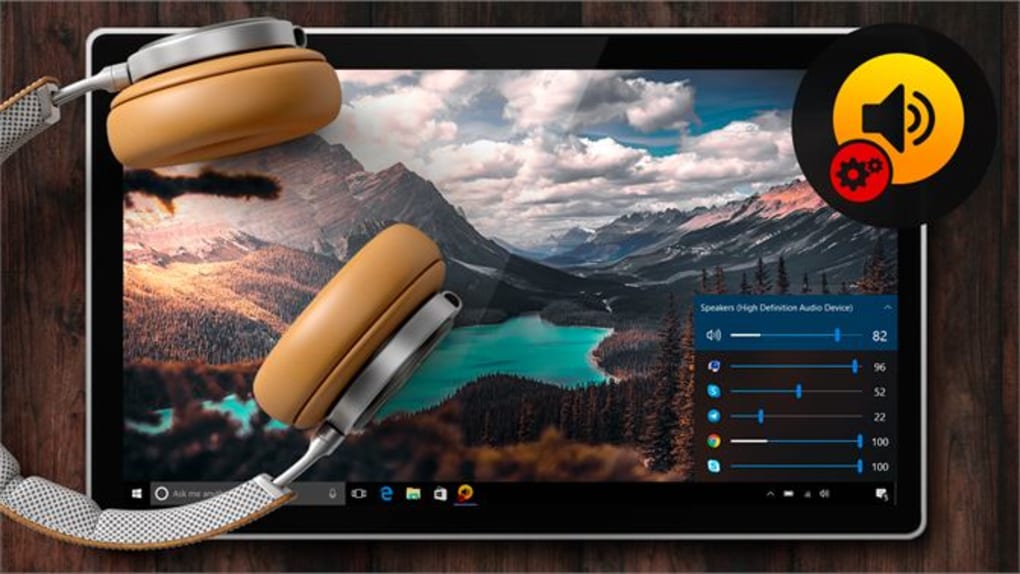
Unlike the standard Windows audio settings, which only allow system-wide adjustments, Volume Control lets you set unique volume levels for each running application. For example, you can lower the volume of your browser while keeping your Discord mic at full volume. This level of customization is essential for multitaskers, remote workers, content creators, and gamers who demand precision. The app integrates seamlessly into your taskbar, offering quick access with a single click, and updates in real time—no need to restart apps or reconfigure settings.
With a clean, minimalist interface, Volume Control avoids clutter while delivering powerful features. It’s lightweight, consumes minimal system resources, and starts instantly. The software is designed with user experience in mind, making it accessible even for non-technical users. Best of all, it’s completely free to download and regularly updated with new features and security patches. Whether you're using a desktop, laptop, or hybrid device, Volume Control adapts to your workflow and elevates your audio experience.
Key Features That Make Volume Control Stand Out
- Set individual volume levels for every application running on your system
- Real-time audio adjustments with no lag or delay
- Taskbar integration for quick access and control
- Support for Windows 10, Windows 11, and Windows 7 (with updates)
- Lightweight design with minimal CPU and memory usage
- Automatic updates to ensure security and performance
- Customizable hotkeys for instant volume adjustments
- Compatibility with external audio devices and USB sound cards
- Portable mode for use on multiple devices without installation
- Secure download with no ads, malware, or bundled software
One of the most impressive aspects of Volume Control is its ability to maintain settings across reboots. Once you configure an app’s volume, it remembers your preference the next time you launch it—no need to re-adjust every session. This feature alone saves countless hours for users who rely on consistent audio setups. The software also supports multiple audio output devices, so you can switch between headphones, speakers, and Bluetooth devices without losing your volume presets.
For power users, the customizable hotkeys are a game-changer. You can assign keyboard shortcuts to mute, boost, or lower specific apps instantly. This is especially useful during live streams or gaming sessions where timing is critical. The app also includes a built-in audio visualization feature that displays real-time volume levels, helping you monitor audio output visually. All features are accessible through a simple right-click menu or the main interface, ensuring a smooth, distraction-free experience.
Volume Control is not just a utility—it’s a productivity booster. Whether you're a student attending online classes, a professional managing virtual meetings, or a creative working on audio projects, this tool adapts to your needs. Its seamless integration with Windows and regular updates ensure long-term reliability. The developers are responsive to user feedback, often releasing new features based on community suggestions.
How to Install and Use Volume Control on Windows, Mac, Android, and iOS
Getting started with Volume Control is quick and straightforward. Begin by visiting the official website and clicking the Download button. The installer is lightweight and safe—no bloatware, no ads, no hidden charges. Once downloaded, run the installer and follow the on-screen prompts. The process takes less than a minute and requires no advanced technical knowledge.
After installation, Volume Control launches automatically and appears in your system tray. Right-click the icon to access the main menu, where you’ll see a list of all currently running applications with their volume sliders. Simply drag the slider to adjust the volume for each app independently. You can also mute or unmute apps with a single click. For added convenience, use the customizable hotkeys to adjust volume levels without opening the interface.
On Windows, the app works with all major audio drivers, including Realtek, Intel, and Creative. It supports both built-in audio and external devices like USB DACs and Bluetooth headsets. On Mac, Volume Control offers similar functionality, though some advanced features may vary slightly due to macOS audio architecture. For Android and iOS, the app is available as a companion tool that syncs with your desktop version via a local network or cloud service, allowing you to control audio from your mobile device.
For users who prefer portability, Volume Control offers a portable version that runs directly from a USB drive without installation. This is ideal for shared computers, school labs, or workstations where admin rights are limited. The app also supports automatic backups of your volume presets, so you never lose your settings during updates or system crashes.
Compatibility and System Requirements
Volume Control is designed to be compatible with a wide range of operating systems and hardware configurations. It supports Windows 7, 8, 10, and 11 (both 32-bit and 64-bit versions), ensuring broad accessibility across older and modern systems. For Mac users, the app is available for macOS 10.14 (Mojave) and later, including Apple Silicon (M1/M2) Macs. This makes it a versatile choice for both Windows and Mac environments.
On mobile platforms, Volume Control is available for Android 8.0+ and iOS 12+. The mobile app connects to your desktop version via Wi-Fi or Bluetooth, allowing remote control of audio levels. This is particularly useful during presentations, home entertainment setups, or when you're away from your desk but still need to adjust sound.
The software has minimal system requirements: a modern CPU, at least 512 MB of RAM, and 50 MB of free disk space. It runs efficiently on low-end devices and doesn’t interfere with other applications. The developers regularly test the software across different hardware configurations to ensure stability and performance. All updates are delivered through the built-in updater, which checks for new versions automatically and installs them securely.
For enterprise users, Volume Control offers a license option for bulk deployment and centralized management. This makes it ideal for schools, offices, and IT departments that need to standardize audio settings across multiple machines.
Pros and Cons: Is Volume Control Right for You?
Pros
- Granular control over individual app volume levels
- Lightweight and fast with minimal system impact
- Real-time adjustments with no lag
- Free to download and use with no ads
- Supports multiple operating systems (Windows, Mac, Android, iOS)
- Portable mode for USB drive use
- Automatic updates and secure downloads
- Customizable hotkeys and taskbar integration
Cons
- Advanced features may be limited on macOS compared to Windows
- Mobile app requires a desktop connection for full functionality
- Some users report minor lag with very high audio load
- Limited language support (primarily English, with basic translations)
Frequently Asked Questions (FAQ)
Is Volume Control free to download?
Yes, Volume Control is completely free to download and use. There are no hidden fees, ads, or premium tiers. The developers offer the full feature set at no cost, supported by community feedback and donations.
Can I use Volume Control on Mac and mobile devices?
Absolutely. Volume Control is available for macOS (10.14+) and supports Android 8.0+ and iOS 12+. The mobile apps sync with your desktop version, allowing remote audio control via Wi-Fi.
Does Volume Control work with external audio devices?
Yes, Volume Control supports USB audio interfaces, Bluetooth speakers, sound cards, and other external audio devices. It automatically detects and manages volume for each connected output.
How do I update Volume Control?
The app includes an automatic updater that checks for new versions in the background. You can also manually update via the settings menu. All updates are secure and delivered directly from the official server.
Is Volume Control safe to use?
Yes, Volume Control is 100% secure. It’s developed by a trusted team, undergoes regular security audits, and is distributed without malware, spyware, or bundled software. All downloads are verified and encrypted.
Final Verdict: A Must-Have Tool for Modern Audio Management
If you're tired of juggling audio levels across multiple apps, Volume Control is the ultimate solution. With its intuitive interface, powerful customization, and cross-platform support, it redefines how you interact with sound on your devices. Whether you're a gamer, content creator, remote worker, or casual user, this tool enhances productivity, improves focus, and delivers a more enjoyable audio experience.
Best of all, it’s free, secure, and easy to install. No technical skills required. Just download, run, and start managing your audio like a pro. Don’t miss out—click below to download Volume Control today and take full control of your sound environment.
Download Now – Free, Secure, and Built for Everyone.







